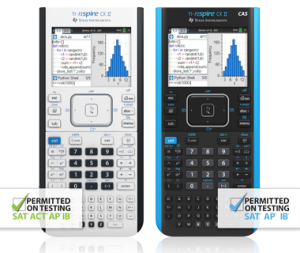
Improved speed, added interactive visuals and easier-to-read graphics expand the TI-Nspire™ CX graphing calculators’ classroom-proven ability to support inquiry and discovery.
Faster performance
Fresh new features
Familiar TI-Nspire CX functionality
New features open new paths to understanding
TI-Nspire CX II graphing calculators include added interactive features that create opportunities for hands-on enggagment.
Animated path plot
Visualize function, parametric and polar graphs as they are drawn in real time.
Dynamic coefficient values
Explore direct connections between dynamic coefficients in equations and graphs.
Points by coordinates
Create dynamic points defined by coordinates, sliders or expressions quickly.
Tick-mark labels
Label axes scales to create visual contexts that promote understanding.
Python programming
Program easily with this coding language that’s great for STEM classes and more.
Easier-to-read- graphics
New app icons, supported by color-coded screen tabs, improve the user experience.
In addition to those new features, TI-Nspire™ CX II CAS graphing calculator enhancements also include :
DeSolve wizard
Reduce syntax errors in solving differential equations.
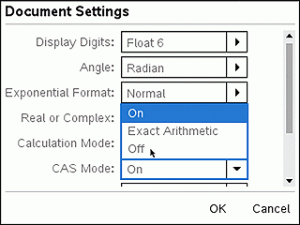
Disable CAS
Disable algebraic functionality easily in the Press-to-Test dialog box or in document settings.
Built on proven foundation
From the keyboard and computer-menu interface to the ability to save and share work with built-in apps, the TI-Nspire™ CX II models retain the features and functionality that make TI-Nspire™ CX graphing calculators ideal for math and science from middle grades through college.